
dontkyc.me Check
Shows you while you browse whether a site is listed on dontkyc.me - with trust/privacy score and an instant scam warning.
The toolbar icon colors itself automatically: green for a high trust score, amber/orange for lower, red for scam or blacklisted.
If a service is on our scam or blacklist, you see it immediately when clicking the icon - with a link to the reasoning.
If a service isn't listed yet, the popup offers a direct link to suggest it.
What it looks like
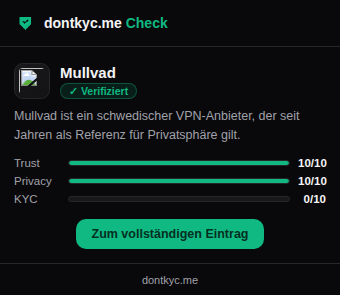
Green badge, all scores at a glance.
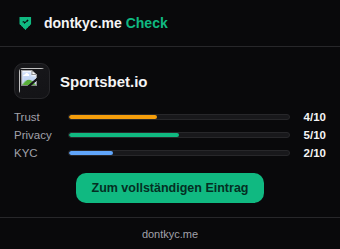
Colored amber/orange instead of alarming red.
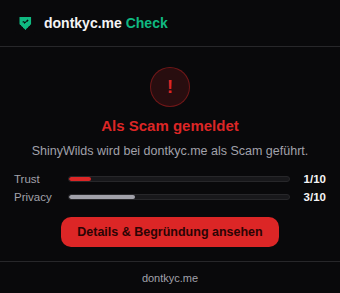
A warning instead of the normal score view.
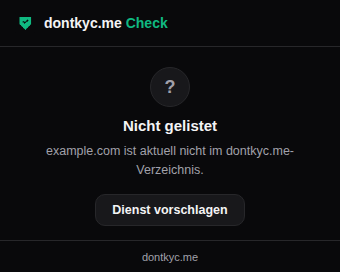
A direct link to suggest the service.
Installation (manual, no store listing yet)
- Download the ZIP and unpack it
- Open chrome://extensions
- Enable "Developer mode" in the top right
- Click "Load unpacked" and select the unpacked folder
- Download the ZIP and unpack it
- Open about:debugging#/runtime/this-firefox
- Click "Load Temporary Add-on"
- Select the manifest.json from the unpacked folder
Temporarily loaded add-ons disappear when Firefox restarts - for permanent use it needs to be published on addons.mozilla.org.
On every page visit, only the domain name (e.g. "example.com", not the full URL or page content) is sent to our server to match it against the directory. A randomly generated, anonymous identifier with no link to your account is also sent, so we can keep a rough internal count of how many people use the add-on. No cookies are set, no usage profiles are built, and no data is shared with third parties.
What's still missing: Chrome Web Store and Firefox Add-ons publication are still pending (their own review process). Until then, manual installation above works without restrictions.